Saturday, March 28, 2009

Thing 10 Solving Basic Equation Video


This video could be used for students at home that would like some extra support. They could pause and replay the steps as needed. This is also an opportunity for kids who been out sick to get caught up. I wouldn't actually show this video in class, as I could do this myself.

This was very easy to do! I did have difficulty using KeepVid, but I think it was the actual video clips and not the program. I tried it a few times and then went to PWNY YouTube and this worked.

Thing 9 Online Video

What do you like or dislike about YouTube? Did you find videos that would be useful for teaching and learning? Is YouTube restricted in your building?

Sad to say, but I haven't had much experience with YouTube. The times I have used it, it's been to look at funny clips or music videos. It was new for me to use it from an educational perspective.

When looking up math concepts, I found it interesting how many videos just had teachers working out a problem. I give them credit for creating the video and posting it, but it wasn't interesting to me. I guess I felt like it should be more entertaining and creative. At one site, kids had posted comments like, "Thank you, you explained it so much better than my teacher." This shows they use it for educational purposes too. I wanted to leave some comments at some of these sites, but it wasn't enabled. It actually took me a few more videos to watch before I found something interesting and was able to post.

Just like any website, I'd caution students on the accuracy and credibility of what is in the video. On the flip side, kids learn from each other and they may be interested what one of their peers have to say. Also, some videos like "Public School House Rock" look like the familiar School House Rock, but it was a parody from Mad TV. This would be something parents should be cautious about.

One of my teaching partner's got around issue of YouTube being blocked by our district by having her own laptop with her own wireless Internet provider access. She used YouTube to show a video of a Shakespeare theatre during our drama unit. It was a quick clip that added to the lesson. When the kids saw that she could get onto YouTube, they didn't think it was fair that they couldn't use it at school. I know a lot of them use it at home.

Thing 8 Getting Creative with Flickr


In the same post in which you placed your creation, briefly describe your experience completing Thing 8. Which of these tools intrigues you and why? Was it easy, frustrating, time-consuming, fun? Share some of your ideas for using the images you can create.

Cool things! I'm glad we were able to spend some time trying out the new tools. It seemed easy to start the tool, but transferring it over to this blog wasn't so easy. The "G" above is from the Spell with Flicker. It would have been nice to be able to cut and paste your whole word vs. letter by letter.

At Big Huge Labs, I created the puzzle above, but I didn't see an easy way to save it to my blog and have it be interactive. It would be fun to move the pieces right now!


As I was searching around, I was intrigued by software toys that were created by Jim Bumgardner. When I was at the FlickrColr Pickr, I noticed his Fun & Games heading. At this site there are a bunch of fun things to do such as Flickr Chia Pet and the Whitney Music Box to name a few. I have no idea how this man created these things!


Thing 7 Flickr Picture Posting


Think of ways you may be able to use Flickr in the classroom or in your work and share your ideas. What issues might you face?

For many visual learners, seeing an object or place is very helpful. Just spending a few minutes looking up different tags, I realized I could spend hours looking at pictures that have been posted.


I think there are endless ways of using Flickr such as an elementary class doing a photobook on the seasons (some very beautiful pictures) to free pictures students could use for their Powerpoint presentations. In math class, the obvious is pictures of symmetry and different geometric shapes. In the past, I've used photos as a writing prompt like the one I've posted above. I think the photos would be great for a foreign language or world studies class. You can see images of many places around the world and get a feel for their culture through photos of food, entertainment, architecture, etc.


There is always the fear of having photos of inappropriate things that kids may find in their search. Good or bad, many times kids let us know and just move on...worrying they'll get in trouble more than the content of the picture. The picture below was on the home page when I logged in. Like many things, the good outway the bad.


Sunday, March 15, 2009

Thing 6- Flickr Photo

Why did you choose a particular photo?
In my sixth grade resource room math class, we study fractions. I'm always looking for ways to show a concept we're talking about as it's used in real life (outside of the classroom). In Flickr, I typed in "fractions" and many examples came up. I chose the "thumbnail" view to search quickly and found this photo.

What is it about the photo that you found interesting? I chose this picture not only because it has a sign that is in fraction form and was found in the Creative Commons, but I don't know what it's used for.
I think it leaves the viewer asking questions, which is perfect to have the kids discover or predict. Even knowing it was taken in England and has a tag: railroad, I don't know much about railroads to figure it out. I'll have to look it up too!

Kids are motivated by photos and videos. The fact that there are areas like "Creative Commons" and the Library of Congress within Flickr, it makes it easier to search for photos that we can actually use and our students too without worrying about the copyright.


Thing 5- Adding Blogs

After adding some initial blogs, it really has opened a new world to me. I've had very little experience blogging before 23 Things. I'm so amazed there are millions of people with thousands of topics interacting in a way I wasn't. It feels weird to just realize there is a Google Blog Search!

There are things at the blogs like "digg this" or "clip/blog this" that I'll have to explore to see what they mean. So, not only is blogging and RSS new to me, but also the jargon that goes along with them.

I can see how this will all be helpful in keeping me updated on new things related to many areas in teaching for example: learning disabilities and RTI. There is information right at my fingertips. It's going to be a matter of finding time, because really it's not that I don't have access to updated information in my field; just that I don't make time to read it!

Depending on what my purpose is when blogging, I could see how I'd want a more reliable source for news ex. at CNN vs. Joe's political babble. I also like the idea that I could get feedback on a topic from an online community of people with similar interests, personal and professional.

Saturday, March 7, 2009

Thing 4 Managing Information Overload

Anything that gives me more time! If RSS sends the information to me that I'm interested in, without me going out and searching-great! I noticed at the bloglines page they listed the top requested items on the right. There were many things that I had no idea what they were. I am interested checking them out.

Just spending time checking out some of the blogs of James Gates, I found a tool with Venn diagrams with factors and multiples that I could use in my classroom. I am sure once I find some good educational blogs, I will not only like some of their blog links, but also like their writing style and information that I'd want to read their updates.

Thing 3 Teacher Blogs

I've been blessed to just start co-teaching second semester, due to a mid-year retirement, with a teacher who is finishing up a Master's degree in Technology in Education. Each day, I have been impressed by how she's incorporating technology into our classroom. She has already set up a blog spot on her website, but I haven't spent much time looking to see if kids have posted anything. I know they are more motivated and their grades have gone up! I feel like I'll be able to talk with her more about using blogs, and other things, because I'll have had some training. Now I really want to see if the kids have posted anything to her site about our classes!

I also teach two resource room math classes. I think it's time I set up a website of my own that includes an opportunity for the students to blog. I think it would be helpful if they were working on problems and they have a question-another student could help them out, if I don't get there first! It could also open opportunities for extra credit, if they forget what problems they have to work on, or just talk about math! Is that wishful thinking?

One concern I have is that some of my students don't have Internet at home. I don't know how many of them will go to the library or use a friend's computer to access some of the things I will be developing through 23 things. I will have to see if there are ways they can have greater access at school to blog spots, etc. I was concerned at first about students writing inappropriate things, but after watching the video clip and looking in settings, I like the feature that lets you filter comments before they are posted to your site.

Thing 1 and Thing 2

Reading about the article Web 2.o, I feel really outdated about my teaching and technology skills and a bit overwhelmed. It's funny to imagine I am feeling insecure about not using more technology in my math class when my dad doesn't use a computer at work and still doesn't really know how to use one...but that will be changing soon too. What matters is that I am here learning. I'm participating so I can be a better teacher, motivate my students to learn and connect with them on a different level. As the video indicated, students are using so much technology each day anyway, it's time for me to use more of it in my classroom.

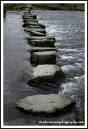
So, I'm glad to be "stepping" in the right direction and hope to be eventually be "running." I can say I have a blog page-it was easy to set up.

I'm beginning to think about how there are so many places that I could be checking each day for posts, e-mail (professional and personal),Study Island, etc. This doesn't include my own searching and reading. All these things take time! Right off the bat I think, "How do I manage all this and not be tied to my computer?"